

 Heartisan Studio
A ticketed event,from pageto door.
A supper, a conference, a course weekend. The page, the website, the prices, the ticket in the pocket, the reminders and the door, in the same app your people already use. Eight parts, one event.
- The event page is laid out visuallyEvent pages
- It goes on your website with one script tagYour website
- Adults £15, children £8, a group discount, a promo codePrice rules and promo codes
- Someone books and pays; the ticket has a QR codeTickets, giving and sales
- One person books places for friends in a single paymentGifted tickets
- The day before
- Joining details go out, and a thank-you the day afterFlows
- The welcome team scans tickets, even when the wifi dropsDoor check-in
- Arrivals, fees and who gave are in the numbersAnalytics
An example, drawn from how the parts work together.
Eight parts. One ticket.
Each is a page of its own, with the details. They agree with each other because the price you set is the price charged, and the ticket someone holds is the one the door reads.
- Event pages
- A hero picture, columns, buttons and your own talks. The app, the public page and your website all show the same design.
- Your website
- One script tag, or the WordPress plugin. A single event can be embedded on its own.
- Prices and promo codes
- The price follows the person: adults, children, a group discount. Promo codes carry dates, a maximum number of uses and one use per person.
- Tickets
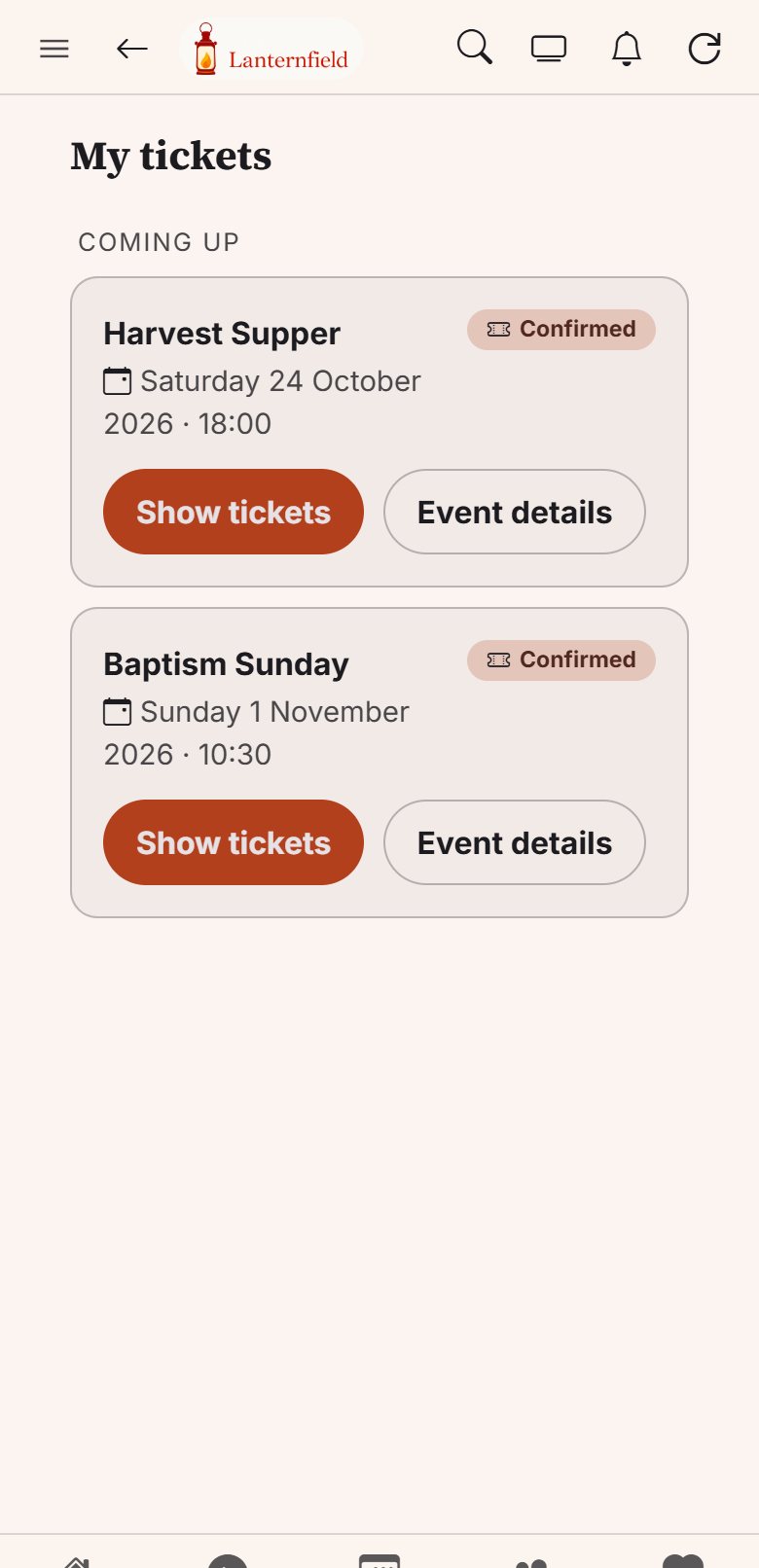
- Paid through your own Stripe account, with no percentage to us. Every booking sits in My tickets, with its QR code.
- Gifted tickets
- One person can buy places for friends and family in a single payment. Each is emailed a link and claims their own ticket, with their own QR code.
- Flows
- Confirmation, joining details the day before, a thank-you and a feedback form the day after, and a tag for the next invitation.
- Door check-in
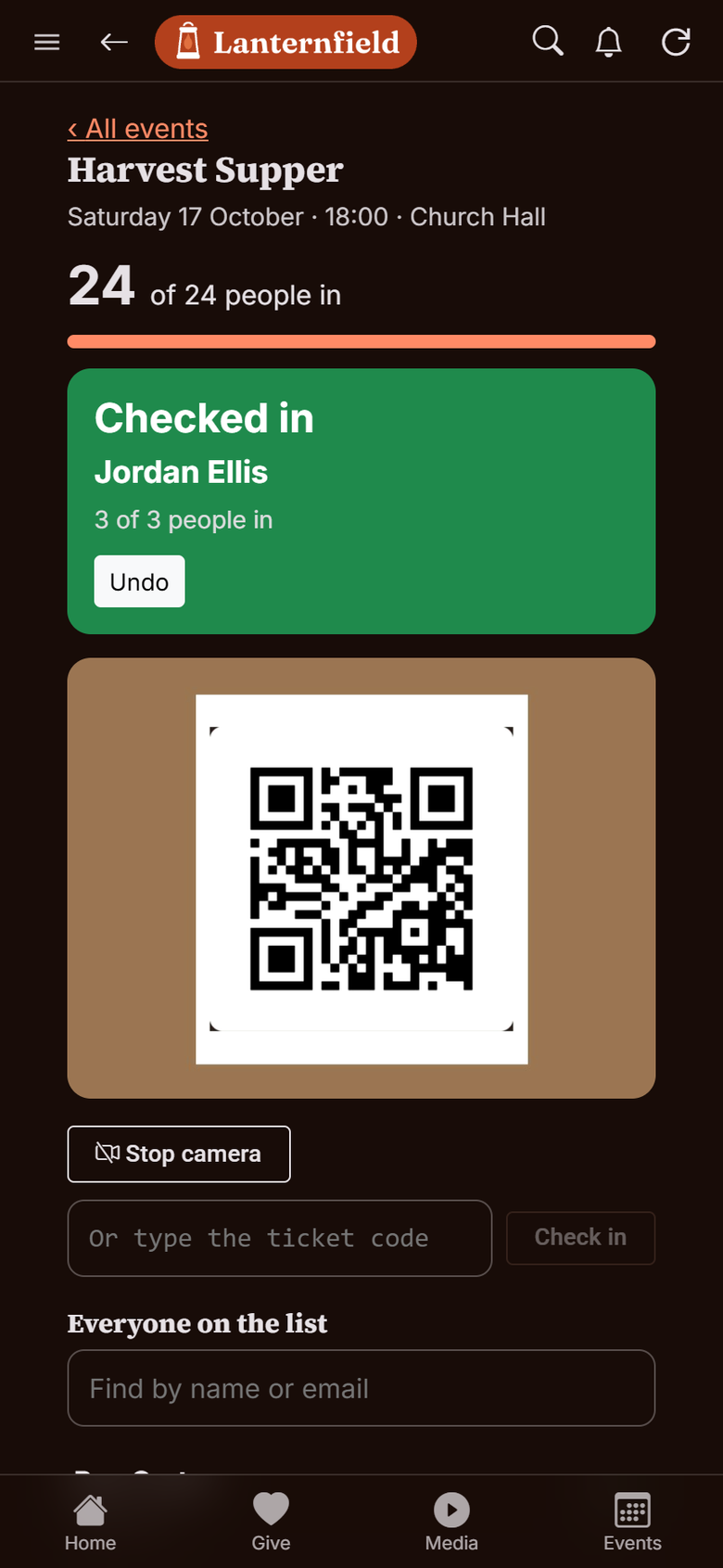
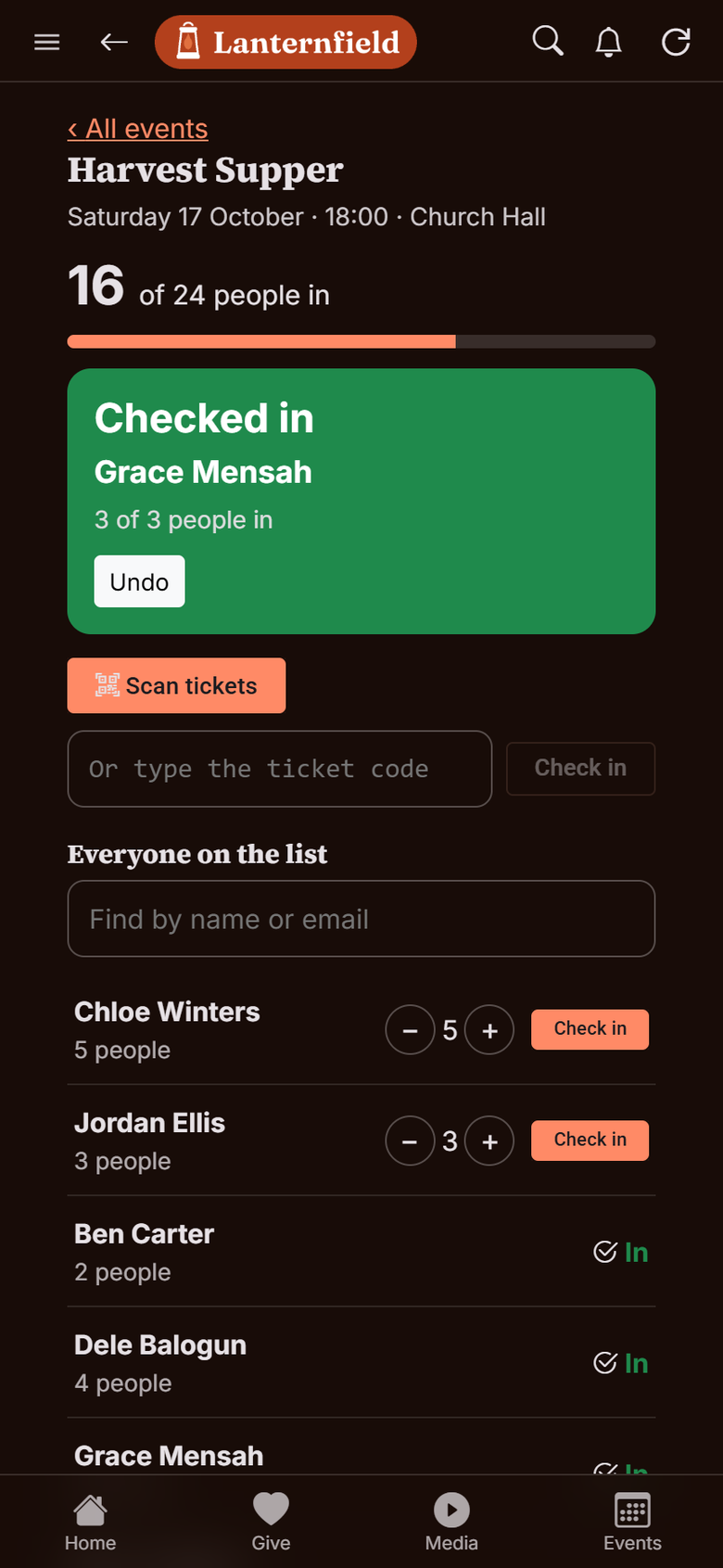
- Your welcome team scans each QR code in the app, sees who is in and who has already been, and keeps going when the hall's wifi doesn't.
- Analytics
- Arrivals, the fees, and who gave, beside everything else, so the event's result is a number you didn't have to build.
The same event, done the usual way.
How it usually goes
- A separate ticketing site, with its own look and its own cut
- One price for everyone, and a spreadsheet for the exceptions
- A printed list at the door, and no way to look anyone up
- Reminders sent by hand, if someone remembers
- The results pieced together from three systems afterwards
With Heartisan
- Your own page, your own Stripe account, no percentage to us
- Prices that follow the person, with codes that expire
- The door is a phone, and it works without wifi
- Confirmation, details and thanks send themselves
- Arrivals, fees and givers in the same Analytics as everything else
The screens, from the app.
The ticket in the pocket, and the door that scans it.
More stories
Sell the ticket.Scan it at the door.
A 60-minute video call with the people who build it. No commitment.