

 Heartisan Studio
Media thatplays properly.Even onbad signal.
Your whole back catalogue, video and audio, in one library, with adaptive streaming, background playback, offline downloads and live streams that pin themselves to the top of the app the moment you go on air.

Uploading is easy. Being watched is the hard part.
Most media goes out in four places, in four formats, with four sets of numbers, and still buffers on the venue Wi-Fi.
Before
- Video on one platform, audio on another, neither aware of the other
- One fixed-quality file that stalls on anything but perfect signal
- Audio that stops the moment the screen locks
- No way to listen on a plane or underground
- Going live means telling everyone separately, in three places
After
- One library of video and audio, published everywhere at once
- Adaptive streaming that steps the quality down instead of stopping
- Background audio, lock-screen controls and a mini player
- Downloads for real offline playback
- Live streams pinned to the home screen, with a notification behind them
One catalogue, organised the way you think.
- Video and audio together
- The same item can be both, and the listener picks.
- Series, seasons and bundles
- A body of work stays together instead of scattering by date.
- Hosts with their own pages
- People can follow a person, not just a feed.
- Your own categories and tags
- Used for filtering in the app and on your website.
- Scheduled and time-limited
- Publish on a schedule, and hide automatically what shouldn't stay up.
- Chapters and a content kit
- From each recording Studio drafts a summary, chapters, an article, a discussion guide, a follow-up series and social posts, in every language you translate into. You approve what goes out, and approved chapters appear in the player.
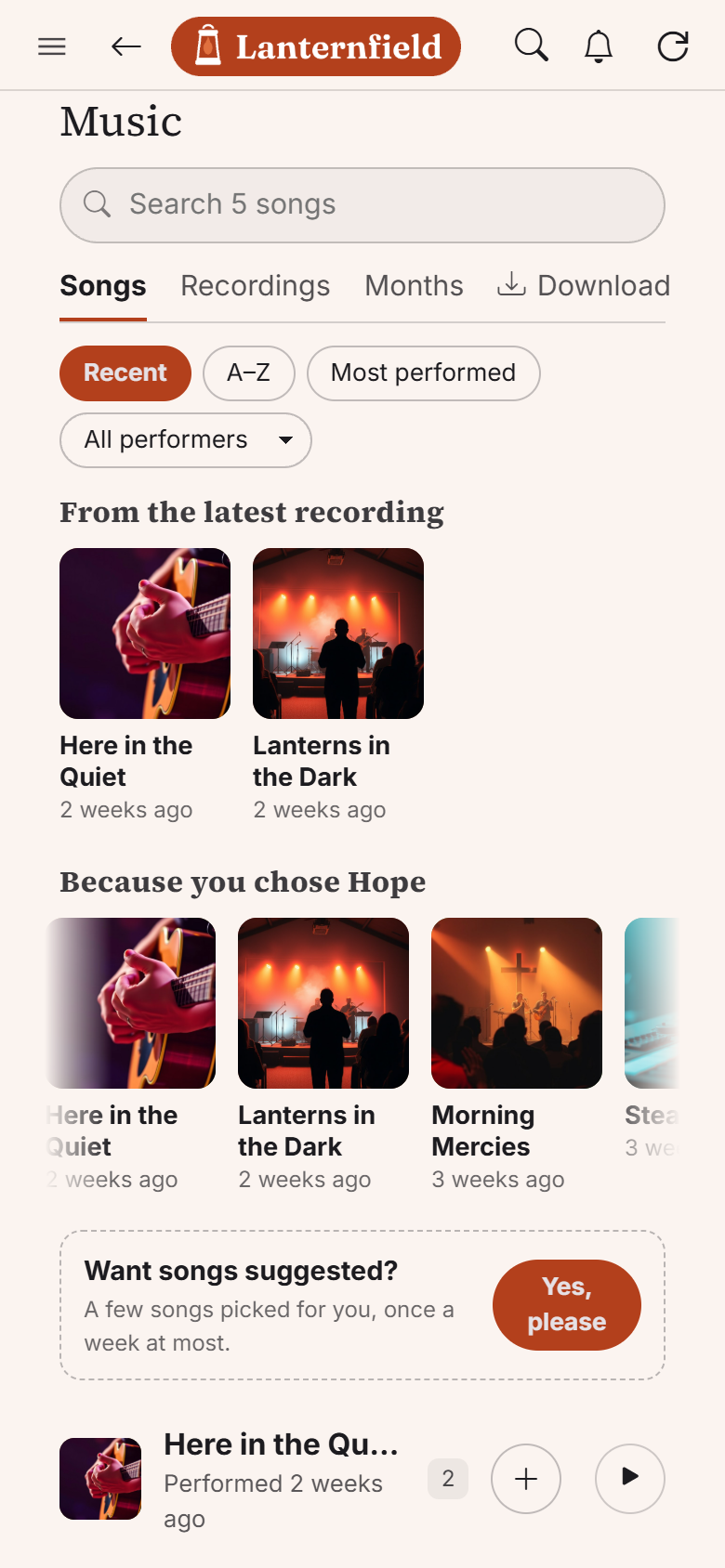
- Music, when you want it
- Songs and performances clipped from your recordings, each still linked to the full recording. Off until you switch it on, for everyone or for your team first, under a name you choose.

The details that decide whether people finish it.
- Adaptive streaming
- Encoded at several qualities; the player picks live, so weak signal means a softer picture, never a spinning wheel.
- Background audio
- Plays with the screen off, with lock-screen and Bluetooth controls and a mini player that follows along.
- Downloads
- Real offline listening for commutes, flights and buildings with no reception.
- Resume anywhere
- The position is remembered per item, on every device.
- Another language
- Switch subtitles mid-talk, or switch the spoken track itself: the same voice, another language.
- The slides, with the words
- What was on screen appears as it went up, including live, held back to match the broadcast.
- The running order, on the recording
- Each part of the running order is marked where it began, so the talk or the reading is one tap away afterwards.
- Mark it watched
- A tick on every card for the one someone caught on television or decided to skip.
- Gated content
- Public, members only or behind a paid bundle, and the player enforces it.
Go live once. It appears everywhere.
Broadcast on your own YouTube channel. The moment you're on air, the app knows: the live item pins to the top of the home screen, your website switches to the player, and a notification goes to everyone who asked for one.
- Inside your app
- A YouTube stream plays as part of your app, not bounced out to YouTube.
- Nobody flips a switch
- Going live is detected automatically, and can start an automation too.
- A real video afterwards
- Pull the stream into Heartisan Studio and it's transcribed, attributed to speakers and re-encoded into a proper library item.

Or go live from a browser.
No encoder and nothing to install: the sound goes out from the portal on any computer, with a check before you start and the numbers while you're on air. The picture comes from Heartisan Studio.
- Hear it first
- Preview the input and its level before anyone else does.
- Never in one ear
- A mono desk on one side of a stereo interface is noticed from the sound itself and sent to both ears, for everyone listening.
- It knows what it's for
- Link the service in the calendar and the broadcast takes its title, speaker, picture and description from it, without overwriting what you typed.
- Change it on air
- Switch the input or the quality without stopping the broadcast.
- Whole, whatever the connection
- The browser keeps its own recording as it sends, and uploads it when you stop.
The service plan rides on the stream.
The plan your team works from backstage is what people at home watch move: the item on now, the one coming next, and how far through you are, under the live player.
- It moves by itself
- From the portal, from the slide your presentation software puts up, or from the clock against the printed order.
- Latecomers catch up
- "Item 1 of 3, talk next" says more than a timestamp on a stream ever will.
- Guests see what you choose
- Separate switches for the running order, the on-now badge, the team's notes and, off unless you turn it on, who is serving.
- One position everywhere
- The app, the member web and your website read the same place, so they can't disagree.
The words keep up. So do the slides.
Under the player, everything said is written out and follows the talk. Switch to subtitles and the line being said is written out large, with the slide that's on screen above it. Neither scrolls the other away, so nobody hunts for their place after looking up.
- It follows the speaker
- Timed against the audio, a sentence at a time, so it stays with the talk through a pause or an aside.
- The slide stays readable
- Big when it goes up, then it steps aside for the words. One tap brings it back.
- It says who is speaking
- Each line starts with the speaker's picture: the talk, the notices and the guest, not run together.
- The whole talk too
- Scroll the transcript to read back, and tap any line to jump there.
- Live too
- Held back to match the broadcast delay, so a slide lands with the picture.

Search what was said, not what it was called.
Nobody remembers which week it was. They remember a phrase. One box searches your recordings, hosts, events and songs, and every word spoken in anything transcribed.
- It finds the minute
- Each recording appears once with its mentions underneath: the sentence, the speaker, and a timestamp that opens it at that point.
- In the language they read
- Where a talk is translated, search runs over the translated words.
- Honest offline
- With no signal it searches what the phone already has, and says so.
- Staff get it too
- The same box in the portal with Ctrl + K, over people, media, events, plans and Flows.

Every verse mentioned is one tap from the page.
In a church app, a Bible reference in a description, a caption or a recording's list of passages is a link. Tap it and the passage opens inside the app, in your church's translation or the member's favourite, with everything else you've published on the same verses underneath.
- Your translation, their favourite
- One setting in the portal chooses what the app reads from. Each member picks a favourite of their own and switches between theirs, yours and any other as they read.
- Nine to read, the rest a tap away
- King James, Berean Standard, World English (American and British), American Standard and Young's Literal, plus Reina-Valera, Louis Segond and Luther in Spanish, French and German, are read in the app. The NIV, ESV, NLT and the other copyrighted translations open the same passage in the Bible app.
- Also on this passage
- The talks, series days, events, collections and posts on the same verses, newest first. A talk on John 3:1-21 turns up on John 3:16, and the other way round.
- Found without typing a list
- Anything with a book, chapter and verse is recognised in running text, with the misspellings churches actually use. A recording's Scriptures field is read more loosely still.
- The talk carries on
- Tap a reference while a recording plays and the player steps down to a strip. The passage has the screen and the audio never stops.
- With no signal
- The church's translation and the member's favourite are kept whole on the phone, so those passages open in a car park with no reception.
- Not the projected version
- A scripture slide in a transcript, a live stream, a TV or a lobby screen keeps its reference but shows the same verses in your public-domain translation. The licensed text you project in the room never reaches the app.
The specifics.
- Streaming
- Adaptive HLS for video and audio, native on iOS and Safari and through a JavaScript player elsewhere.
- Formats
- Video and audio in one content model: an item can carry both, plus artwork, description, series, host and tags.
- Live sources
- Your own YouTube channels, detected automatically. The broadcast becomes a live item in the same player as everything else. Your encoder can ping us to shorten the wait.
- Offline
- Per-item downloads carrying the transcript in the listener's language, and a cached catalogue so browsing works with no connection.
- Languages
- Subtitle and audio tracks per recording, switchable mid-playback in the apps, the member web app and the public page.
- Scripture
- Church apps only. References link to the passage in nine public-domain translations (KJV, BSB, WEB, WEBBE, ASV, YLT, Reina-Valera 1909, Louis Segond 1910, Luther 1912); copyrighted ones open in the Bible app. Chosen per church, with a favourite per member.
- Play counts
- Views on video and listens on audio, counted at 30 seconds or a quarter of the item, with linked YouTube views added and broken out. Can be hidden per item.
- Discovery
- Every category with its contents, Popular and Trending, and suggestions based on what a person plays or says they're interested in.
- Access
- Public, members only, or behind a paid bundle or tier.
- On your website
- The same media and live stream embedded in your existing site with one script tag.