

 Heartisan Studio
Get paidinside yourown app.
Donations and recurring giving through your own Stripe account, paid bundles and membership tiers, Apple and Google in-app purchases, and codes for sponsors and partners, with the receipts and statements to match.

Support, or sell. Usually both.
Most organisations do both at once: regular supporters fund the work, and paid content funds the rest.
Giving and donations
One-off and recurring gifts through Stripe, split across the funds you define, with instant receipts and year-end statements. Built for organisations where giving is the model, not a tip jar.
- Several funds and collections
- Recurring gifts the giver manages themselves
- Statements for the finance team
- Records ready for Gift Aid
- Pledges that fill up by themselves
Paid content and membership
Bundle a series, gate a back catalogue, or run a membership tier that unlocks everything. On mobile, purchases go through the stores' own billing, so nothing is rejected at review.
- Bundles with their own artwork and price
- Tiers that unlock whole sets of content
- Apple and Google in-app purchases
- Redeem codes for sponsors and partners
Your Stripe account. Your money.
Card payments settle straight into your own Stripe account on your own terms. We don't sit in the middle of the payment, and we take no cut of what you raise.
- Funds and collections
- A gift can be earmarked, and the finance report reflects it.
- Statements
- Per giver, per period, emailed out.
- Givers manage their own
- Recurring gifts can be changed or stopped by the giver: fewer awkward emails.
- The whole gift arrives
- Givers can tick to cover the card fee, worked out to the penny from your own rates. Gift Aid and goals count the gift, never the fee.
- A declined card isn't a lost giver
- When a monthly gift's card is declined, it's flagged with the amount at risk, and the giver is emailed a link to put it right.
- On the person's record
- Giving and engagement finally sit in the same place.
Payment credentials are stored per organisation and encrypted at rest. Your keys, your account, your payouts.

Events that sell tickets, and know who walked in.
A supper, a conference, a course weekend: the price follows the person, a ticket can be a gift, and the door is a phone.
- Prices that follow the person
- Adults £15, children £8, £3 off for a group you choose, or whatever you decide. The visitor sees their own price as they fill the form in, and is charged exactly that.
- Tickets for other people
- Someone buys for friends or family; each is emailed a link to claim their own ticket, and can sign in or create an account to do so.
- Promo codes
- Per event, with dates, a maximum number of uses and one use per person.
- The door is a phone
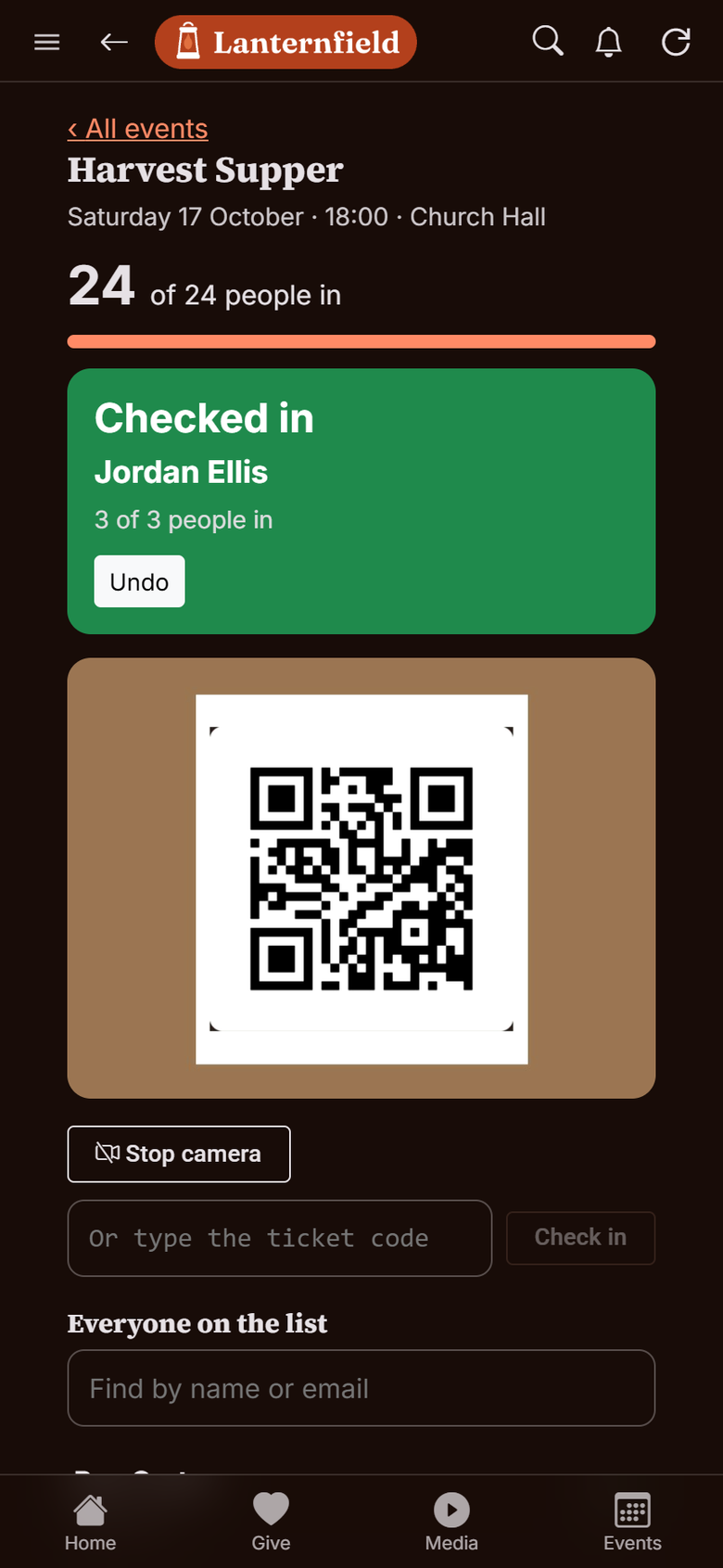
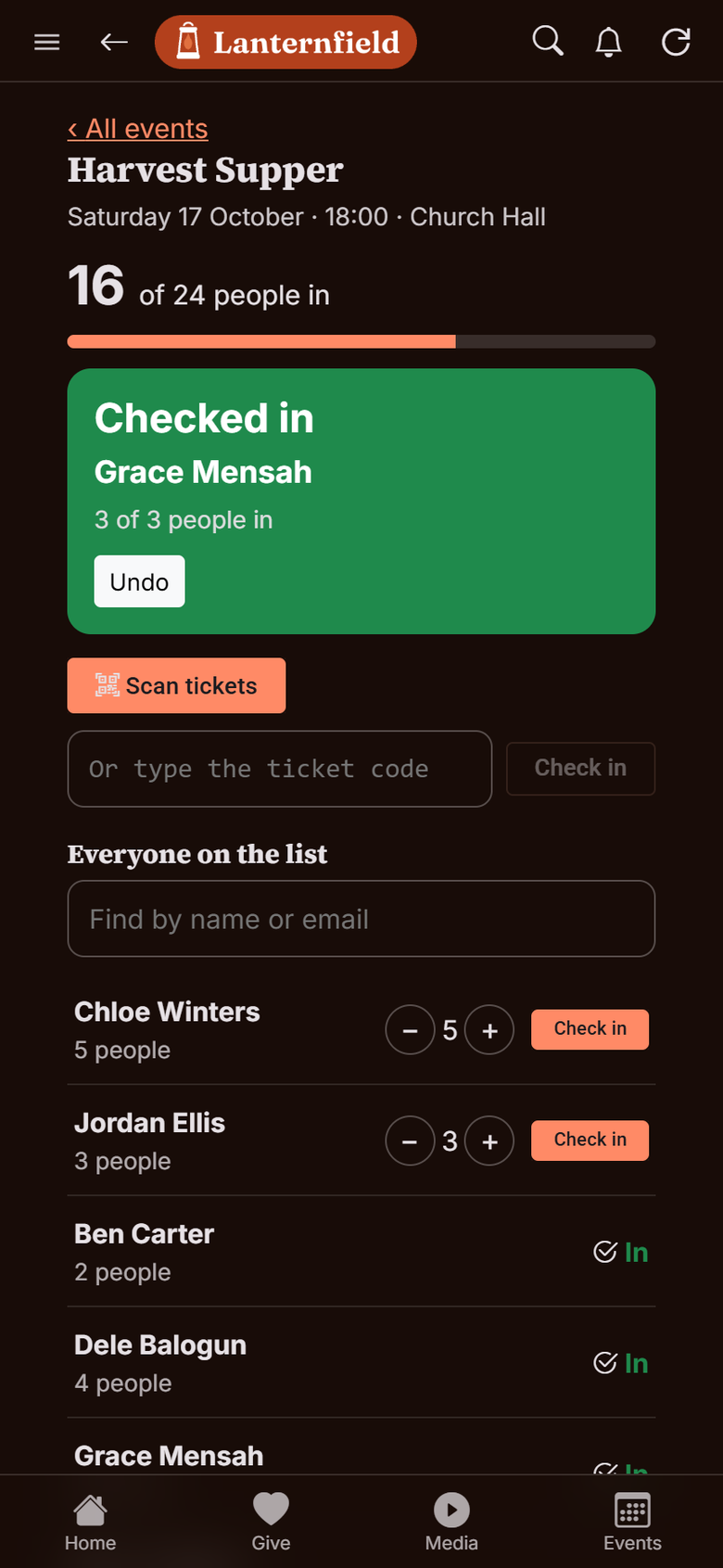
- Every ticket has a QR code. Your welcome team scans it in the app, sees who is in and who has already been, and keeps going when the hall's wifi doesn't.
- What it really cost
- Gifts, fees and the people behind every number, over any period, with a pivot table to cut it your way.

Goals people can see filling up.
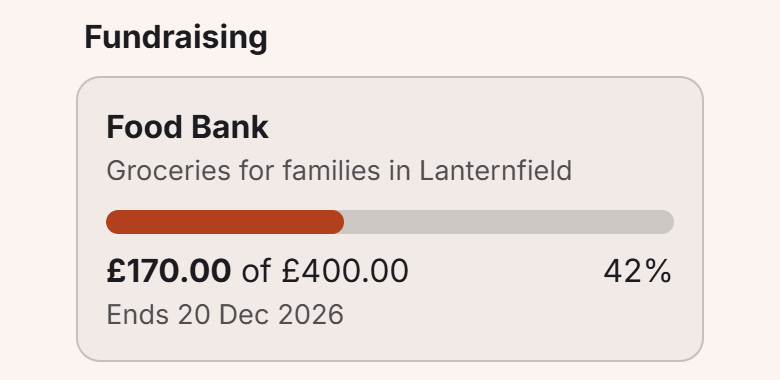
Give each fund its own thank-you in your own words, and a fundraising goal with a progress bar that counts every gift, including the ones you record by hand.
- A thank-you for each fund
- It uses the giver's first name, what they gave and the fund's name. A default covers any fund without one.
- A goal with dates
- An amount, an optional start and an optional end. The bar already includes the gift that was just made.
- Shown before they give
- Switch it on and the progress bar sits on the giving page and in the app's Give section, so the first thing a supporter sees is how far it has got.
- Anywhere you like
- Put the goal on any page of your app or on your own website: one fund, or several added into one total for an appeal, as a bar, a ring or a big banner with a Give button.
- Pledges
- People promise a total and how they'll give it. Nothing is charged; each gift to the fund counts towards it by itself, and you see who is on track, kept or behind.
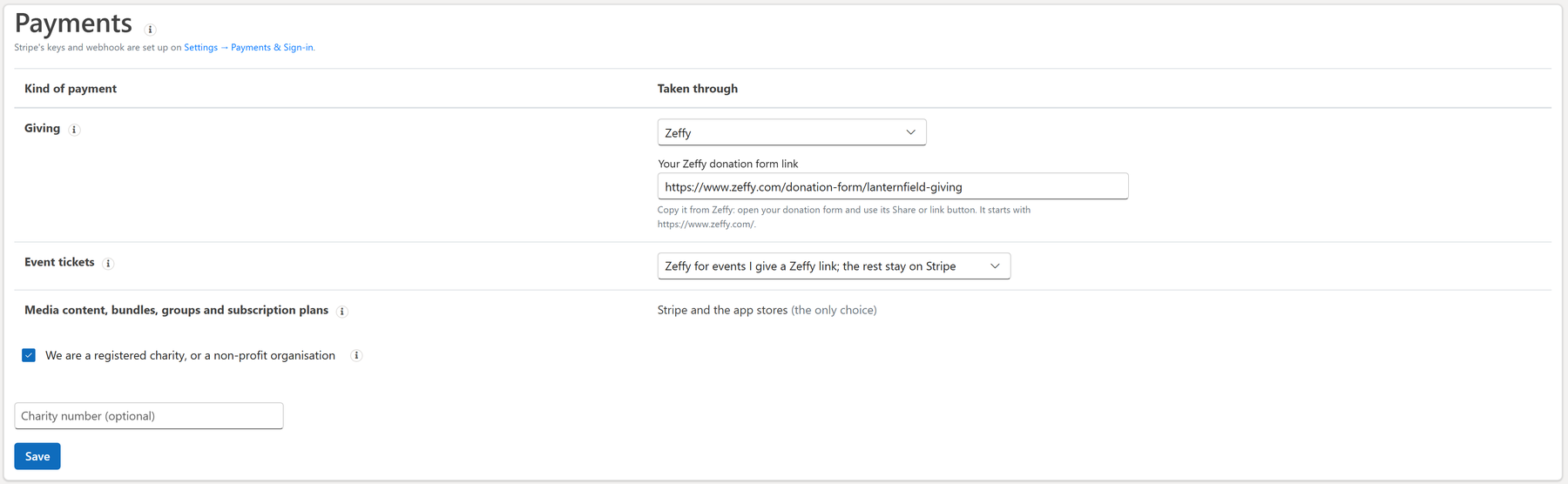
Free for charities, if you prefer: you can take gifts, and the events you choose, through Zeffy instead of Stripe. It charges the charity no fee and asks the giver for an optional tip to Zeffy, which the giving page tells them about first. You choose per kind of payment, and can go back at any time.

Sell the archive you already have.
The back catalogue you've been giving away is an asset. Bundle it, price it, and let people buy it without leaving the app, using the billing each platform permits.
- Bundles
- Any set of media sold together, with its own artwork and description.
- Tiers
- A membership level that unlocks whole categories, not single items.
- In-app purchases
- On iOS and Android, verified on our server against Apple and Google.
- Redeem and promo codes
- Access for a sponsor or partner without an invoice; discounts for launches, with limits and expiry.

The specifics.
- Card payments
- Stripe, connected to your own account: one-off and recurring, with the payment methods Stripe supports in your region.
- Funds
- Several named funds and collections, chosen by the giver and reported separately.
- Statements
- Per-giver statements for a chosen period, emailed from your own sending domain.
- Mobile purchases
- App Store and Google Play in-app purchases, receipt-verified on the server, with your own store credentials.
- Products
- Bundles and purchase tiers, each with its own price and artwork.
- Codes
- Redeem codes that grant access and promo codes that discount, both with usage limits and expiry.
- Reporting
- Totals by period, fund and product, with every transaction on the giver's or buyer's record.