

 Heartisan Studio
Your nameon the icon.Your brand onevery screen.
Native apps for iOS, Mac, Android and Windows, built, signed and taken through store review under your own developer accounts or hosted under ours, plus a member web app on your own domain.

A page inside someone else's app is not your app.
What most platforms sell you
- Your logo in the corner of a shared directory app, next to everyone else
- A store listing nobody finds, because it isn't under your name
- Branding limited to one accent colour, if that
- Words written for someone else's kind of organisation
- A "website" that is really a subdomain you will never rank for
What you get here
- Your own apps on the App Store and Google Play, from your accounts or ours
- A Windows and Mac desktop app for the people who work at a desk
- A member web app on your own domain, no install needed
- Your colours, fonts, logos and icons on every surface
- Every module renamed to the words your audience actually uses
Everywhere your audience looks for you.
Publish once. It lands everywhere, and it stays consistent because every surface is driven by the same settings.
- iPhone and iPad
- A native app on the App Store, from your own account or hosted under ours.
- Mac
- Apple silicon Macs run the iOS app natively from the same build. One submission reaches the Mac App Store too.
- Android
- Published to Google Play and kept current with Google's target API requirements.
- Foldable phones
- Open or close a Samsung Galaxy Z Fold or another folding Android phone and the app re-lays itself out on the spot, with pages spreading into columns on the big inner screen. It is built for Apple's iPhone Duo too, where the quick-links bar moves to the side when the phone is opened out.
- Windows
- A signed desktop app with silent background updates, for offices, studios and production desks.
- The web
- The same app in the browser, on your own domain (one DNS record points it there), for anyone who won't install anything.
- Your TV
- The same Android app on Google TV, Android TV and Fire TV, laid out for a remote, with sign-in by a code from a phone and your own sections down a side menu. Samsung and LG TV apps are on the way, and anything else can be cast to from a phone. A TV can even become the screen in your foyer.
- Something else
- An Apple TV or Roku app, a kiosk, a bespoke build target? We take on custom requests. Tell us what you need.
Your developer accounts, or ours.
However it's published, the app is yours: your name on the icon, your brand on every screen. Pick the route that suits you, and switch later if you change your mind.
Under your own accounts
For the most independence. You hold your own Apple Developer and Google Play accounts; the listing, ratings, reviews and ownership are entirely yours, and if you ever leave, the installs leave with you. We set the accounts up with you and handle every submission.
Hosted under ours
For launching fast with nothing to register. We publish from our developer accounts and manage the keys, certificates and store admin, still fully branded as you. Move to your own accounts whenever you're ready.
One gentle ask on the hosted route: please play by the app stores' rules. The account is shared with other clients, so everyone helps keep it in good standing.
Change it once. It changes everywhere.
Set your palette, upload your logos, choose your typefaces and adjust the text size in the portal. The apps, the member web app and your emails pick it up with no rebuild.
- Colour
- Primary, secondary and background, for light and dark, on bars, buttons and accents.
- Type
- A curated set of licensed typefaces, or upload your own brand font.
- Text size
- Heading scale and body size, so the app reads the way your brand reads.
- Logos and icons
- Square and wide marks, used across the apps, the web app and email.
- Your own email design
- Design the header, footer, colours and fonts your emails are sent in, duplicate one to try a variation and set a default. Invitations and password resets use it too, so even system mail looks like yours.
Brand assets are kept on the device, so your app still looks like your app with no connection.

You build the screens. Not us.
Every screen a member can be sent to is a stack of sections you arrange, with a live phone beside you that updates as you type. None of it needs an app release.
- Lists that keep themselves right
- "The newest five in a category" stays current; a hand-picked list is wrong the day after you set it.
- A real style builder
- Solid, photo, outline, ghost, gradient, glass; corners, borders, shadows, type and moving backgrounds, all following your palette.
- One layout, every size
- Widths in twelfths per screen size, so a page works on a phone, a tablet and a desktop.
- Switch, don't delete
- A whole seasonal run is one switch. Thirty versions of every page are kept, and anything just deleted can be undone.
- Different people, different home
- Aim a home screen at a team, a group or a tag, decided on the device so it works with no signal.
- Your media, inside any page
- A Media block drops one item, or a set filtered by kind, host and category, into a designed page, an event's page or a description. It stays current as you publish, and works offline.
- Events, bundles and collections as cards
- A page can hold a row of what's coming, one chosen event, your bundles or your collections, with as much on each card as you want: picture, name, date, Details and Sign up buttons, words left, centred or right. Blank pages start empty, and any page can hide or align its own title.
- Pictures that survive no signal
- Every picture on a page, including the photographs behind a designed block, is fetched to the phone when the page syncs, so a page opened for the first time offline still looks right.
- The same page on your website
- Build it once and show it on your site too, drawn in or framed. Website embeds
The first screen gets better the more it's used.
Some sections look after themselves. Someone who installed the app today and someone who has used it for five years each get a screen that suits them, from the same page.
- A hero that knows what's on
- A stream that's live now, with the service plan under it; otherwise the next featured event; otherwise the newest thing published.
- Pick up where you left off
- With the time remaining on each.
- Suggested for you
- With a line saying why, and a screen where people can say what they're interested in.
- No empty headings
- A section with nothing to show hides itself.
- Works signed out
- History is kept on the device and joins the account on sign-in. Start on the web, finish on the phone.
Your app speaks your language.
A church says "message". A podcast network says "episode". A training provider says "module". Rename any of it and the words change across the app, the web app and your website embeds at once, with a translation layer underneath for more than one language.

Different devices, different apps.
One grid decides what each kind of device offers, and to whom. Switch Downloads off in the browser, keep Give off the TV, show My rota only to the team on phones.
- Features by device
- Android, iPhone and iPad, Windows, Mac, the web browser and TV, against every part of the app. Each cell is Everyone, signed-in members, a staff level, or nobody.
- A bottom bar of your choosing
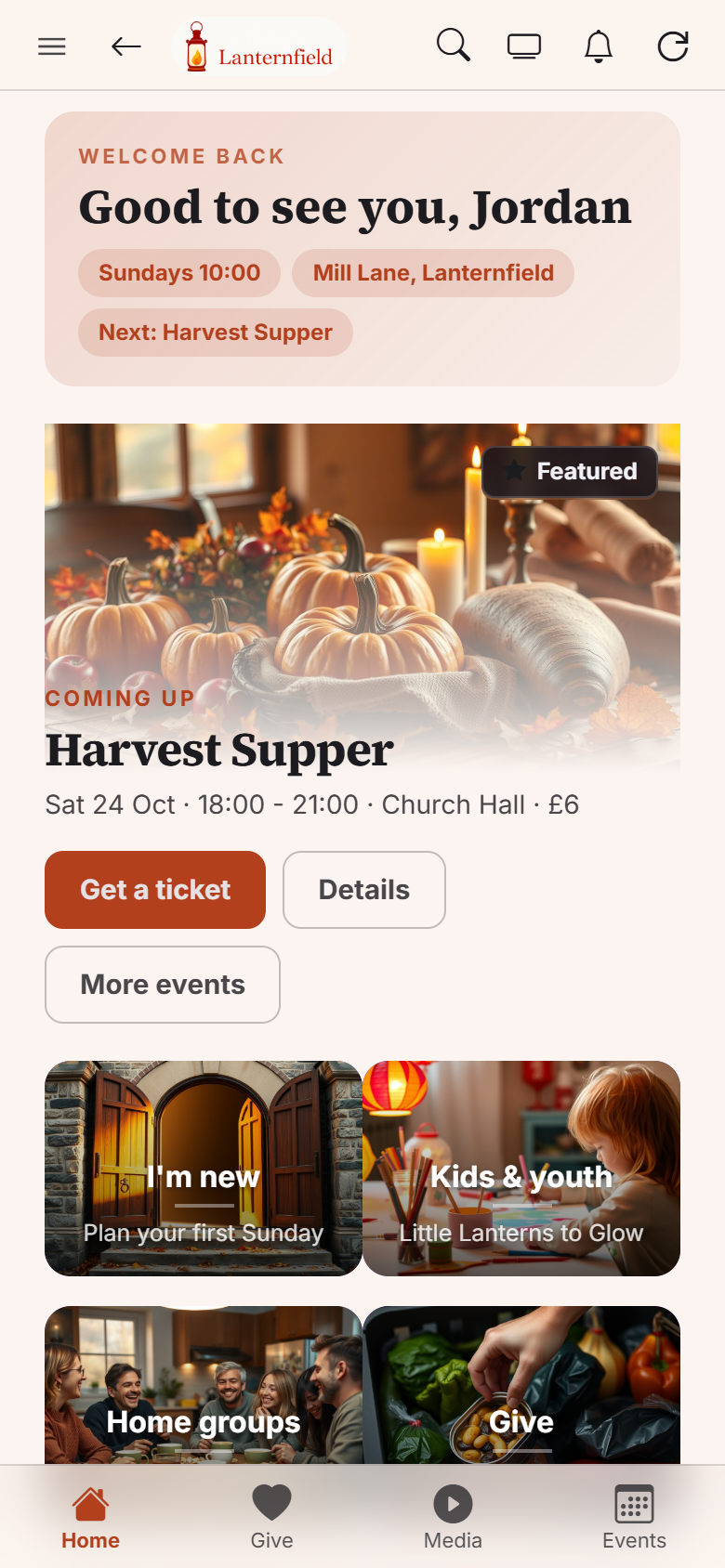
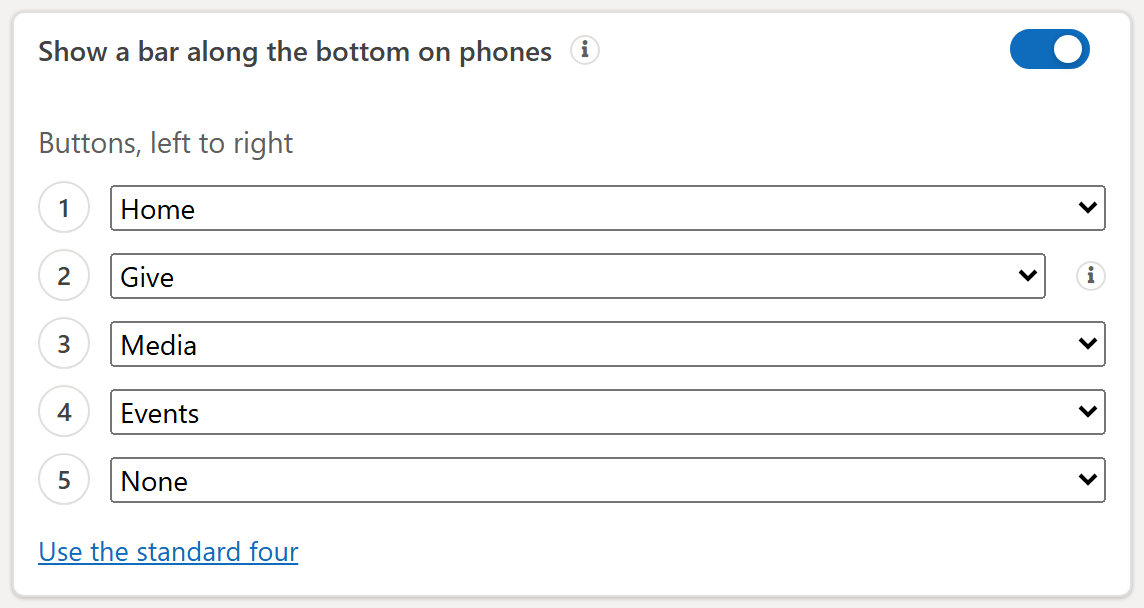
- Two to five one-tap buttons along the bottom of a phone, set for everyone, with members free to swap them for their own. No app update.
- Your own address
- The member web app on members.yourchurch.org (or any subdomain you own), with the heartisan.app address still working so no old link breaks.
- On the TV's own home screen
- On a Google TV or Android TV, what a member is part way through appears in the TV's own Watch Next row, and the app can be the TV's screensaver: your pictures moving slowly with their titles, and the next broadcast when there is one.

Built for terrible signal
Halls, basements, venues, trains. The app keeps a local copy of your content and holds anything someone does offline, sending it the moment they're back.
- Screens open from the local copy first, so they're never empty
- A form filled in underground submits itself later
- Downloads for media wanted with no connection at all
Updates are our problem
New features reach your apps through our build and release pipeline. Store rules change constantly, and keeping up with them is part of the service, not a project you budget for.
- Store submissions prepared and sent for you
- A version policy, so you can require an update when a release matters
- Staged roll-outs rather than everything at once
The specifics.
- Platforms
- iPhone and iPad; Mac (Apple silicon, running the iOS app natively); Android phone, tablet and folding phone; Apple iPhone Duo; Windows desktop; a member web app in the browser.
- In the stores
- From your own Apple Developer and Google Play accounts (listing, reviews and ownership fully yours), or hosted under ours (nothing to set up, still branded as you). The Mac App Store comes with the iOS submission. You can move between the two later.
- Custom targets
- Bespoke build targets and integrations on request. Talk to us.
- Branding
- Palette for light and dark, heading and body typefaces (curated or your own upload), heading scale, body size, square and wide logos.
- Language
- Your own terminology for every module, with a translation layer for more than one language.
- Offline
- A local content store with queued changes; media downloads for full offline playback.
- Notifications
- Push to iOS and Android that opens the exact screen: a recording, a message, a form.
- Sign-in
- Email and password, plus Continue with Google, Microsoft and Apple. Switching a provider on reaches installed apps within half an hour, and no duplicate account is made when the address already exists.
- Screens
- Every page built from sections in the portal, with a live preview, per-size widths, a style builder, visibility switches, 30 versions of history and audience targeting. No release needed.
- Admin in the app
- Rotas, plans, the calendar and messaging, opened per person by an administrator and held to the same access levels as the portal.
- Self-service
- People keep their own details current, download everything held about them, and can close their own account.
- Privacy
- One member's data never reaches another member's device. Personal records are fetched per person, never bundled into the offline content.
See it withyour logo on it.
We'll show you the app running in your brand before you commit to anything.