How it works
Pricing
About
Help centre
Contact
Book a demo Log in

Many shows.Many hosts.One brand.

Broadcasters, networks and production companies need more than a publish button: several editorial teams working at once, live output, one production pipeline, and a record of who changed what.

Try this app, Northlight, in your browser

Northlight is a media house we made up. Everything on its screens is the real Heartisan. Pick a screen and stand where its owner stands.

Every show, in one app under your name.

A viewer at home, with Studio Sessions on.

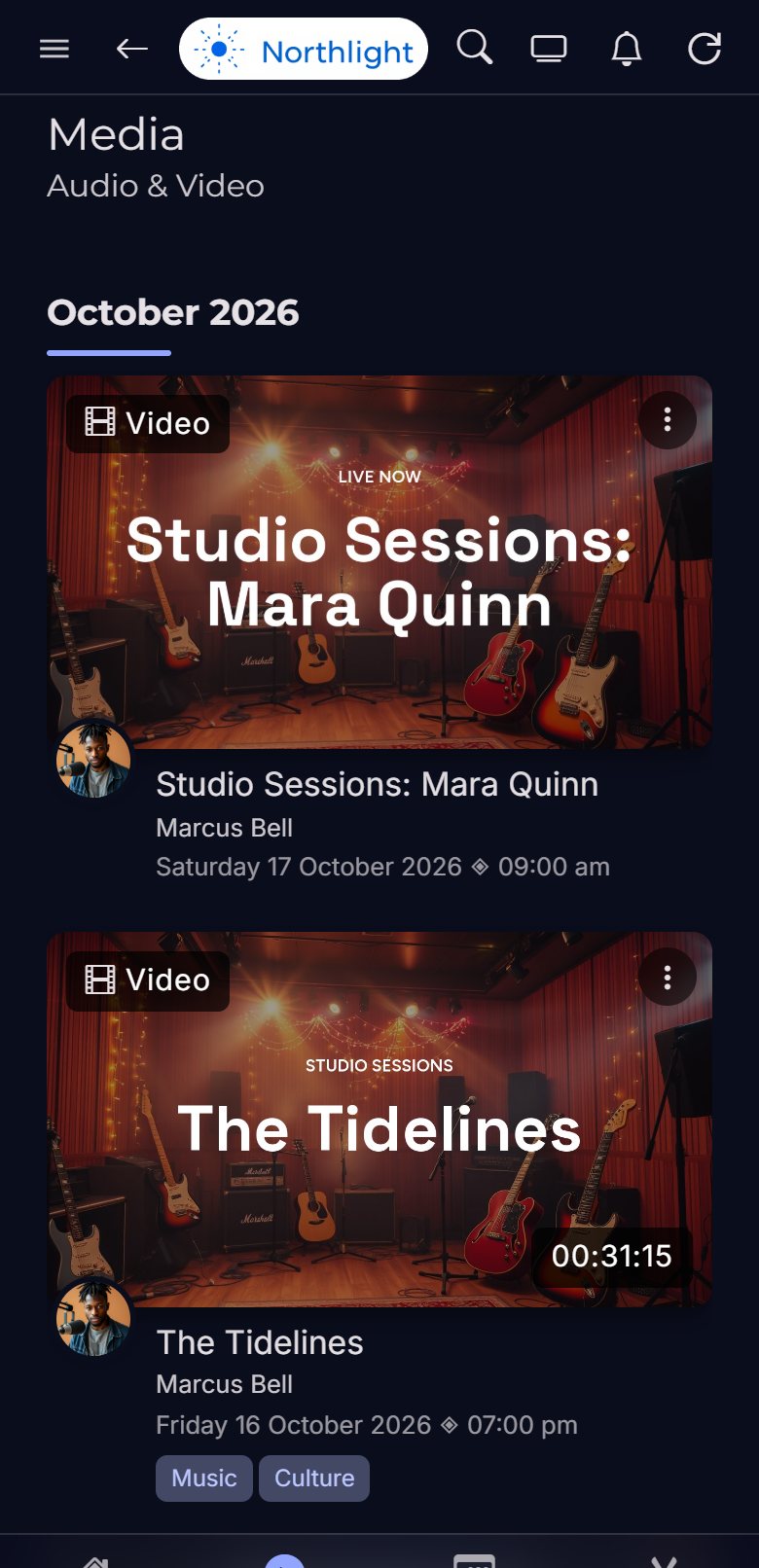
Every show, on demand
The morning programme, sport, documentaries and sessions.
Hosts as people
Presenters get their own pages, so an audience can follow a person across shows.
A live channel
Live output pins itself to the app and your site whenever you're on air.

The running order, on the crew's phones.

Floor crew, before Studio Sessions.

Cues and the clock
Crew see their cues and the clock, on their own phones.
Item by item
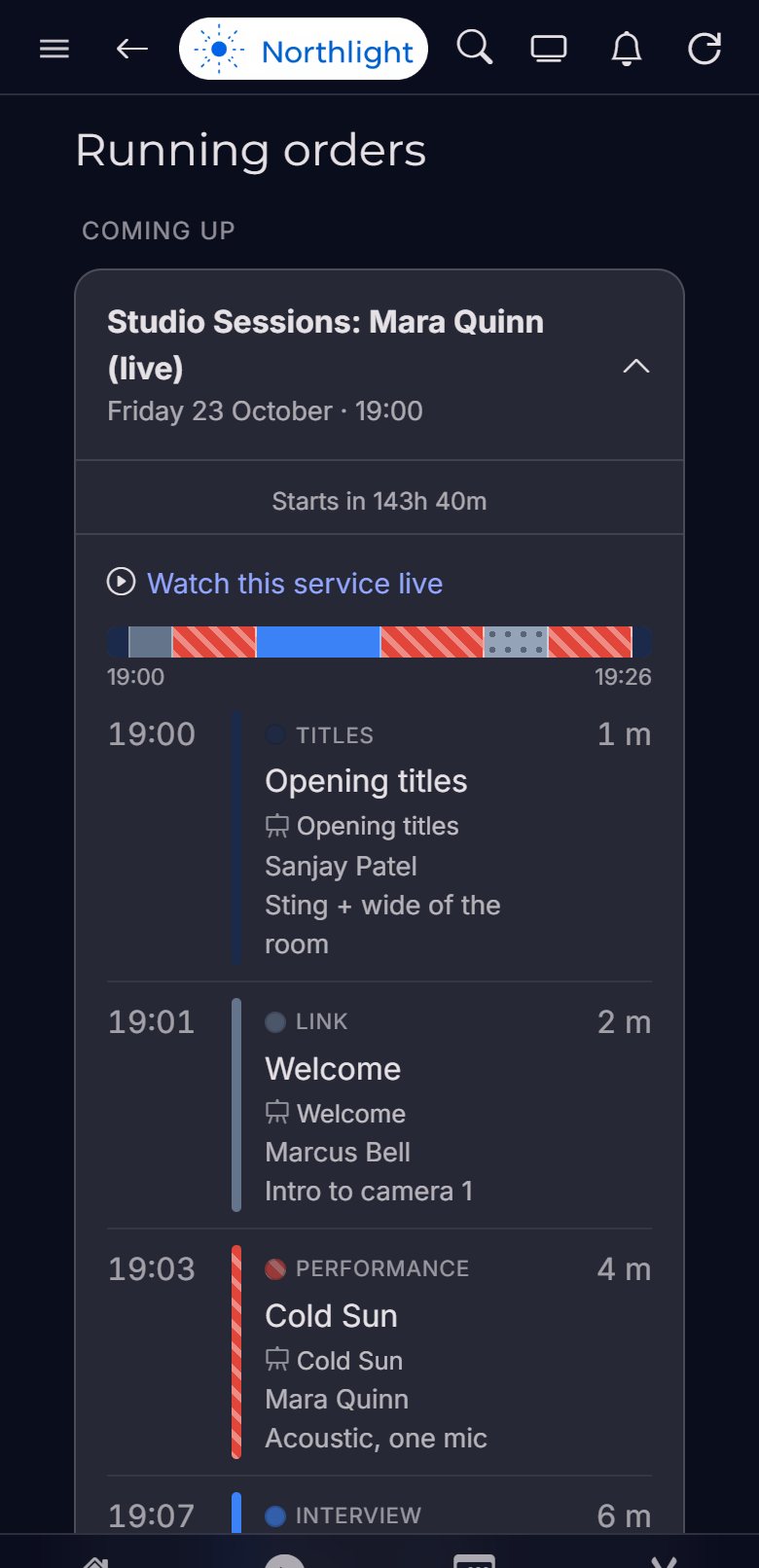
Titles, links, performances and interviews, each with its time and who is on it.
Planned against actual
The times you planned beside the times it really happened.

Be in the room.

Arriving for the Newsroom Open Day.

Studio audiences, open days and awards
Ticketed, and booked in the app.
The studio audience gets in free
Everyone else books and shows a QR code.
Every booking in one place
The ticket is on the phone when they arrive.

Studio Sessions, on the TV at home.

A viewer's front room.

The same app, laid out for a remote
On Google TV, Android TV and Fire TV, with your own sections down a side menu.
Sign in with a code
A code from a phone, so nobody types a password with a remote.
Live now, first
When a broadcast is on, it leads the TV's home screen.

And in a browser, for everyone else.

Catching up at a desk.

Tags across shows
“Everything we've published about X” is a filter, not a research project.
Tiered access
Free, members only or paid, per item.
Comparable numbers
Plays and completion measured the same way for every show.

Mix the broadcast from the gallery.

On the sound desk, in Heartisan Studio.

The channels you want
Take channels from one sound card or several, each with its own level and pan.
See it and hear it first
A meter on every channel, and a listen to the mix before it goes out.
Saved for tomorrow's show
Name a mix once, then choose it when you go live.

One portal behind every screen.

On the gallery's other screen.

Exactly the access each person needs
Five permission levels, and invitations instead of shared passwords.
An audit log
Who did what, and when.
What is waiting, and what is next
Its home page starts with the follow-ups still open and the next event.

The Northlight app's home screen: Studio Sessions with Mara Quinn on now, where it has reached in the running order, a Watch live button, today's schedule and the top stories
The app. Northlight's home screen, with Studio Sessions on now.
Running orders in the Northlight app: Studio Sessions with Mara Quinn, item by item from the opening titles, each with its time, its length and who is on it
The running order. Studio Sessions, item by item.
My tickets in the Northlight app: the Newsroom Open Day and Full Time Live at The Quay, both confirmed, each with a Show tickets button
Tickets. Every booking in one place, ready to show.
The Northlight app on a TV: Studio Sessions with Mara Quinn live now with a Watch button, and the top stories beneath
The TV at home. Northlight's app on a TV, with Studio Sessions.
The Northlight member web app in a browser: its menu down the side, Studio Sessions on now and the top stories
In a browser. The member web app, at a laptop's size.
Heartisan Studio's channel mixer with Northlight's mix: each channel with a meter, a level and a pan
Heartisan Studio's channel mixer. The sound here is a test tone.
The portal's home page for Northlight: what is waiting, the next event, the latest content, what is coming up and this week's figures, with the menu down the side
The portal. Its home page: what is waiting, what is next, and this week.

Inside Northlight's app.

Northlight is invented, and so are its presenters, bands and pictures. The shows, sessions, running orders and events are the real app, under a broadcaster's own name.

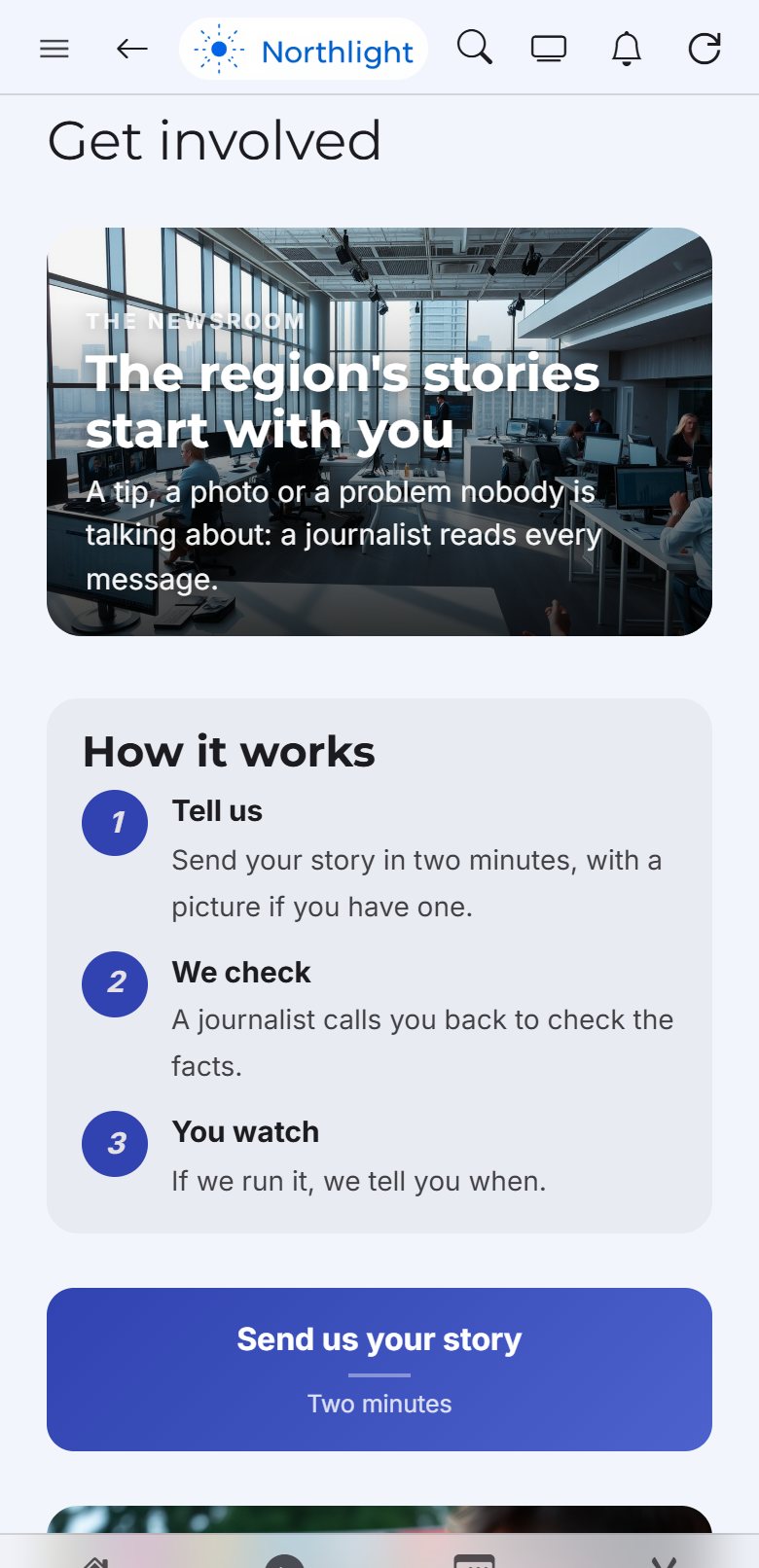
A newsroom page, Get involved: how to send the newsroom a story, in three steps
Pages you build yourselfYour newsroom's call for stories, laid out in the page builder and linked from home.
The latest shows: a live music session and the morning programme, newest first
Every show, on demandThe morning programme, sport, documentaries and sessions.
Sessions: songs from this week's live music, and more picked for the listener
Sessions, song by songEach performance cut from the broadcast and filed by song.
A running order for a live studio session: titles, links, performances and an interview, each timed
The running orderCrew see their cues and the clock, on their own phones.
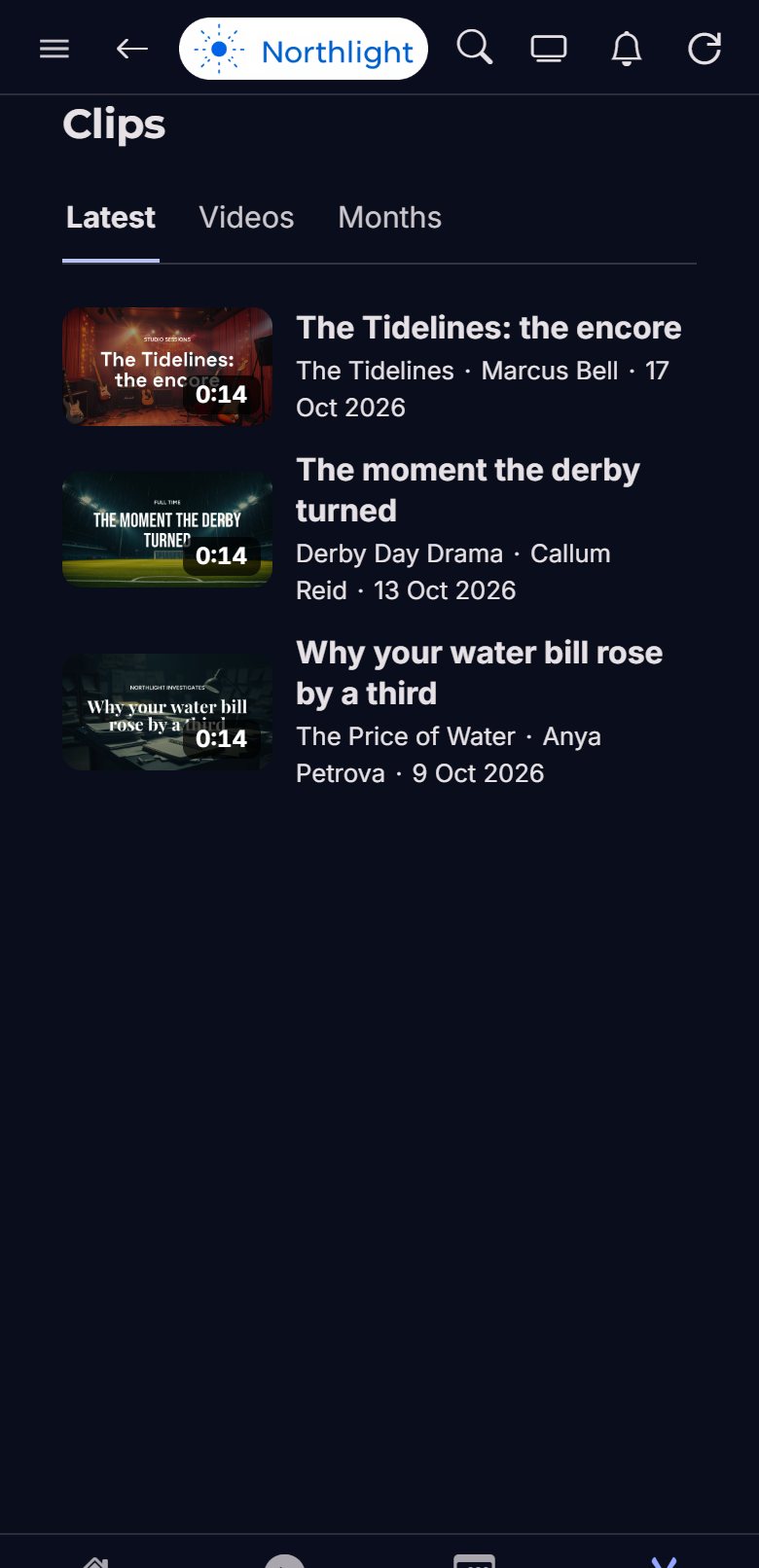
Clips: three short highlights cut from a football show, an investigation and a live session
Highlights from the showThe moment that matters, cut once and linked to the full programme.
My tickets: the newsroom open day and a live show at the Quay, each confirmed, with a button to show the ticket
Tickets for eventsThe studio audience gets in free; everyone else books and shows a QR code.
Support: a radiothon fund for the region's food banks at 66 percent of its goal
A radiothon with a thermometerEvery pound for the food banks, with the goal in view.
Events: a live studio audience and an awards night featured, with tickets
Be in the roomStudio audiences, open days and awards, ticketed.

Now use it.

Northlight's real app and portal, right here. Watch a programme or a highlight, book Studio Sessions with a promo code, back the radiothon, then open the portal and see it arrive. Nothing you type leaves your browser.

Opening FieldnotesThe first visit takes a few seconds.

The app and portal are real; the organisations, the people and the content are made up. The clips are short, and their footage and voices are computer-made. The portal is saved pages of the real one: they look and move like it, but only a few buttons do anything. Buying and giving open a pretend checkout, and what you do is kept in this browser only.

Scale breaks the tools that worked for one show.

Six shows, six workflows
Six ways of exporting, naming and uploading. Consistency depends on whoever is doing it.
All-or-nothing access
The freelance producer needs to upload one episode and ends up with the keys to the finance settings.
Nobody knows who changed it
An item goes missing, a title changes, a stream key is rotated, and there's no record to look at.

Exactly the access each person needs.

Five permission levels, invitations instead of shared passwords, and an audit log over the actions that matter. A guest producer publishes to their show without seeing your finances.

Role-based access
Across the whole portal, not per-module toggles.
Invitations that expire
Onboarding a freelancer takes a minute; offboarding takes less.
Audit log
Who did what, and when.
Several organisations, one login
For groups, franchises and shared-services teams.
The audit log: each change with who made it, when, and what it was
The audit log in the portal.

One pipeline everyone follows.

Whoever is on shift runs the same steps and gets the same result, because it's a tool rather than a tribal process. Every show streams at the same quality, with series, hosts, categories and artwork applied the same way, and embargoes hold without anyone staying up.

  1. Bring inOff air
  2. TranscribeOn your machines
  3. SpeakersPresenters named
  4. DescribeDraft for the producer
  5. EncodeSame ladder, every show
  6. PublishScheduled if embargoed

Heartisan Studio

Several shows, one branded home.

Shows as series
Each with its own artwork, description, categories and back catalogue, inside one app carrying your network's brand.
Hosts as people
Presenters get their own pages, so an audience can follow a person across shows.
A live channel
Live output pins itself to the app and your site whenever you're on air.
Tags across shows
"Everything we've published about X" is a filter, not a research project.
Tiered access
Free, members only or paid, per item: enough to run a premium tier across the network.
Comparable numbers
Plays and completion measured the same way for every show.

A broadcast day.

  1. 08:00

    The rundown

    Items, durations, contributors and media, with the whole team on the same version.

  2. 09:30

    Crew confirmed

    Rota requests went out yesterday; accepts and declines are in, and the gaps were filled in time.

  3. 10:00

    On air

    The app and the website switch to the live player automatically, and everyone who opted in is told.

  4. 11:05

    Off air, into the pipeline

    Transcribed and encoded, with a draft listing waiting for the producer.

  5. 13:00

    Published

    One action puts it in the app, the web app, the website and the podcast feed, transcript attached.

  6. 17:00

    Reviewed

    Plays, completion and new members on one dashboard, and an audit log of every change to today's output.

One platform forthe whole network.